The control room for AI-assisted development
Autonomy, under control.
Every Claude Code session and agent, live. Approvals in one inbox. Missions through to landed changes.
Agents run on your machines, on Windows, macOS and Linux. The console runs in your browser.


Works with
- Claude Code Sessions, subagents and workflows
- Codex Sessions and launches beside Claude Code
- ACP agents Cursor CLI, OpenCode, goose and more
- Git Checkouts, worktrees and landing queues
- GitHub, Google, Microsoft Sign-in under your rules
- Slack and Teams Approvals and alerts
- Web Push Approve and deny from your phone
- MCP Agents operate Orgus through one audited API
The product
Run many agents at once, and stay calm
Seen, governed, delivered and paid for, from one console.
Live
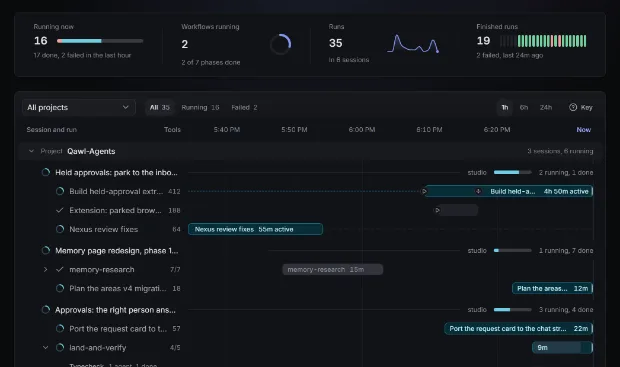
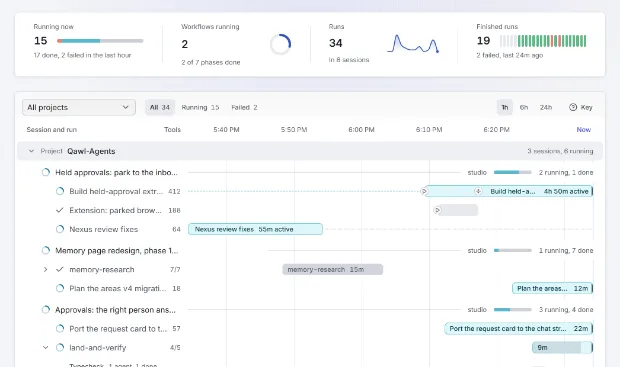
Every agent, on every machine, in one view
Sessions, subagents and workflows across Windows, macOS and Linux, on one timeline.
- One lane per agent, by session and project
- State, model, tokens and cost on every session
- Read-only: nothing you watch is changed
Needs you
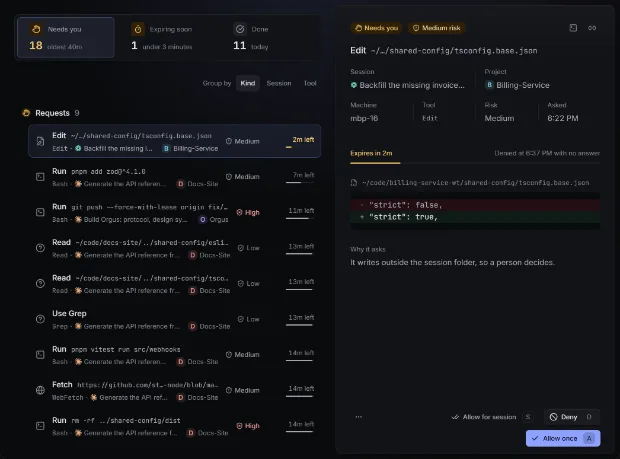
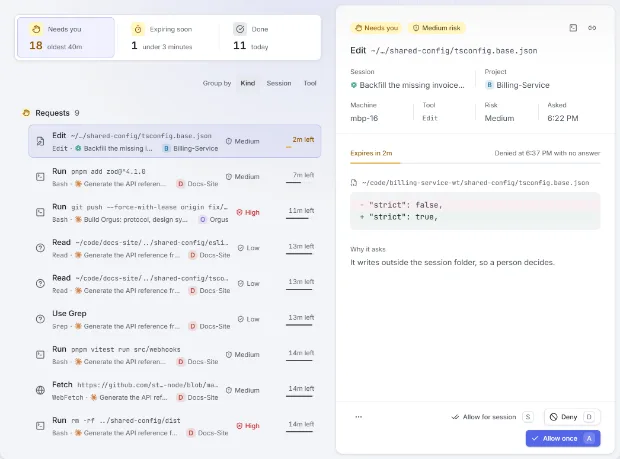
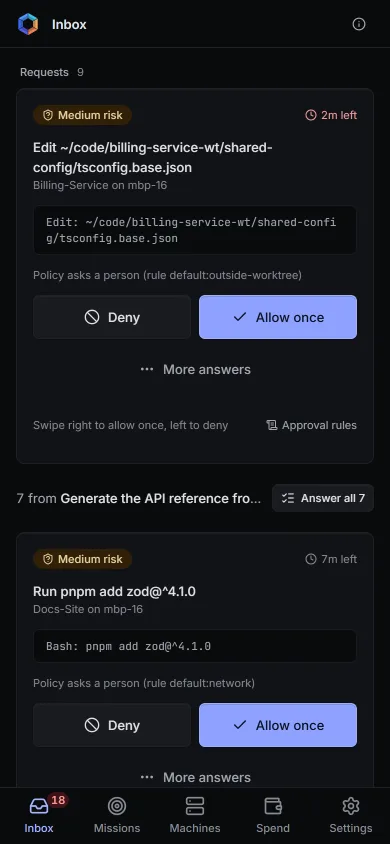
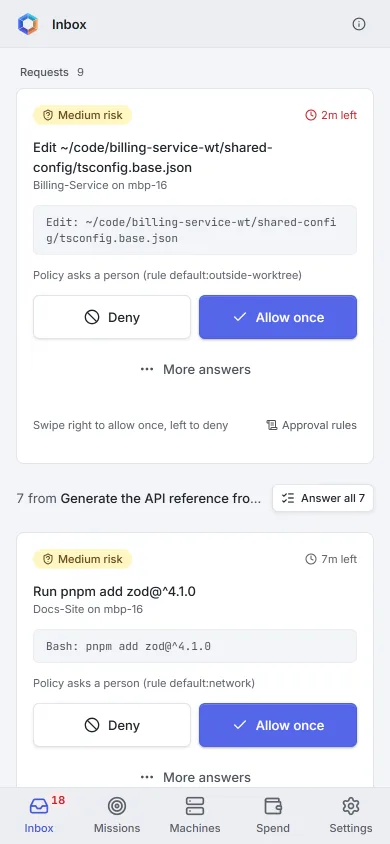
One inbox for every approval and question
Policy asks a person before a risky step, with the exact command or diff.
- Ordered by deadline and risk
- Allow once, for the session, or make it a rule
- Unanswered requests are denied when they expire
Delivery
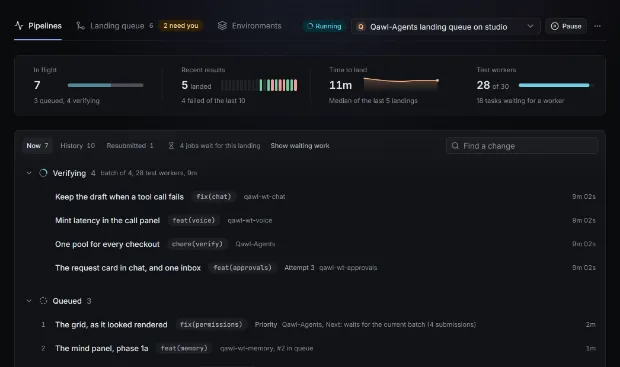
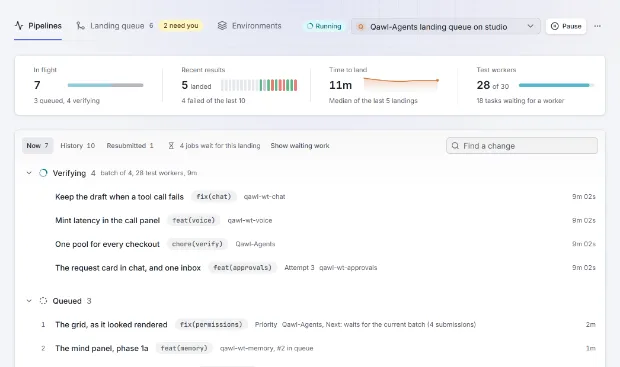
From mission to landed change
Each project's landing queue verifies, rebases and pushes one change at a time.
- Backlog, missions and review in one place
- Queued, verifying, pushing, landed, with retries
- Environments with deploy, freeze windows and rollback
Cost
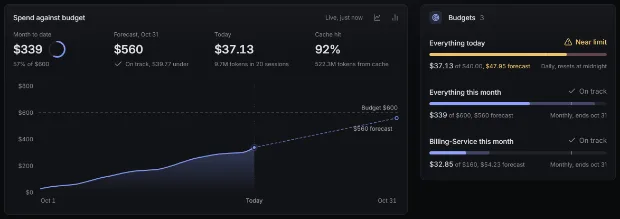
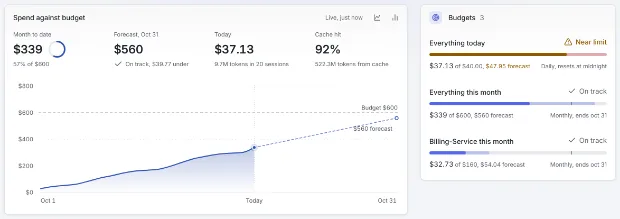
Know what every mission costs
Usage costed against a versioned price table, by mission, project, model and day.
- Budgets with forecasts and hard limits
- Runaway sessions flagged as they happen
- Cost per personPlanned
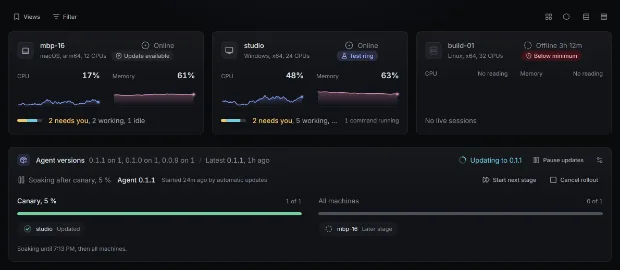
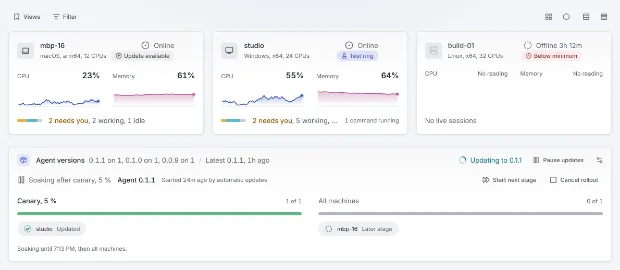
Fleet
Every machine, its load and its agent
Each machine dials out with its own key and keeps limits the server cannot raise.
- CPU, memory and live sessions per machine
- Agent updates in rings, canary first
- A minimum agent version, enforced
Anywhere
Approve from your phone
The phone app installs from the console. A decision made offline is sent when you reconnect.
- Web Push, Slack and Teams, with quiet hours
- A daily digest for everything that can wait
Idea to landed
One accountable path from backlog to landed
Each stage has an owner, a state and a record.
-
Backlog
Epics, stories, defects and chores, each with an owner.
-
Mission
A goal for an agent, on the machine you choose.
-
Sessions
Every session, subagent and workflow, live.
-
Review
Policy asks a person before a risky step.
-
Landing queue
Verified, rebased and pushed, one change at a time.
-
Deploy
Preview, staging and a protected production, with rollback.
Security
Security you can check
Read-only where it watches, signed where it acts, recorded everywhere. What is not built yet is marked planned.
-
Watching is read-only
Watching writes nothing into your repositories. Orgus changes one only when you ask.
-
What the hub stores
Session state, machines, policy, budgets, missions and the audit log stay in your hub. Nothing is sent to us.
-
Every machine has its own key
Each machine makes an Ed25519 key pair and proves it on every connection. The private key never leaves the machine; a copied machine secret alone is refused.
-
Signed, expiring commands
Every command to a machine is signed, sequenced, single-use, bound to that connection and expires after 30 seconds.
-
Hash-chained audit log
Who, what, where, when and the result, for every action. Each entry carries the sha256 of the one before;
orgus audit verifyfinds the first broken line offline. -
Machines dial out, and keep their own limits
One outbound connection, so no open port. The owner can deny any action locally, and nothing the server sends can raise that ceiling.
Get started
Up and running in three steps.
Sign in
With Google, Microsoft or GitHub.
Add a machine
One download for Windows, macOS or Linux, with no runtime to install. Approve it in the console.
Start a mission
Choose a project and a goal. Its sessions show up live.
Latest: v0.2.0.All changes